
Reference Image
Supply a reference image as a style anchor so the AI can learn the look and generate new variants.
A text prompt is not always precise enough. The reference image feature lets you supply an image as a style anchor: the AI picks up its style, palette, and composition, then generates a new variant from your prompt.
When you need a series of images built on an existing visual style, a reference image is far more precise than describing that style in words.
Uploading a Reference Image
The reference image needs a publicly accessible URL. The simplest route is a free image host such as postimages.org — upload the image, then copy the direct link (not the share link, which points at a viewer page):
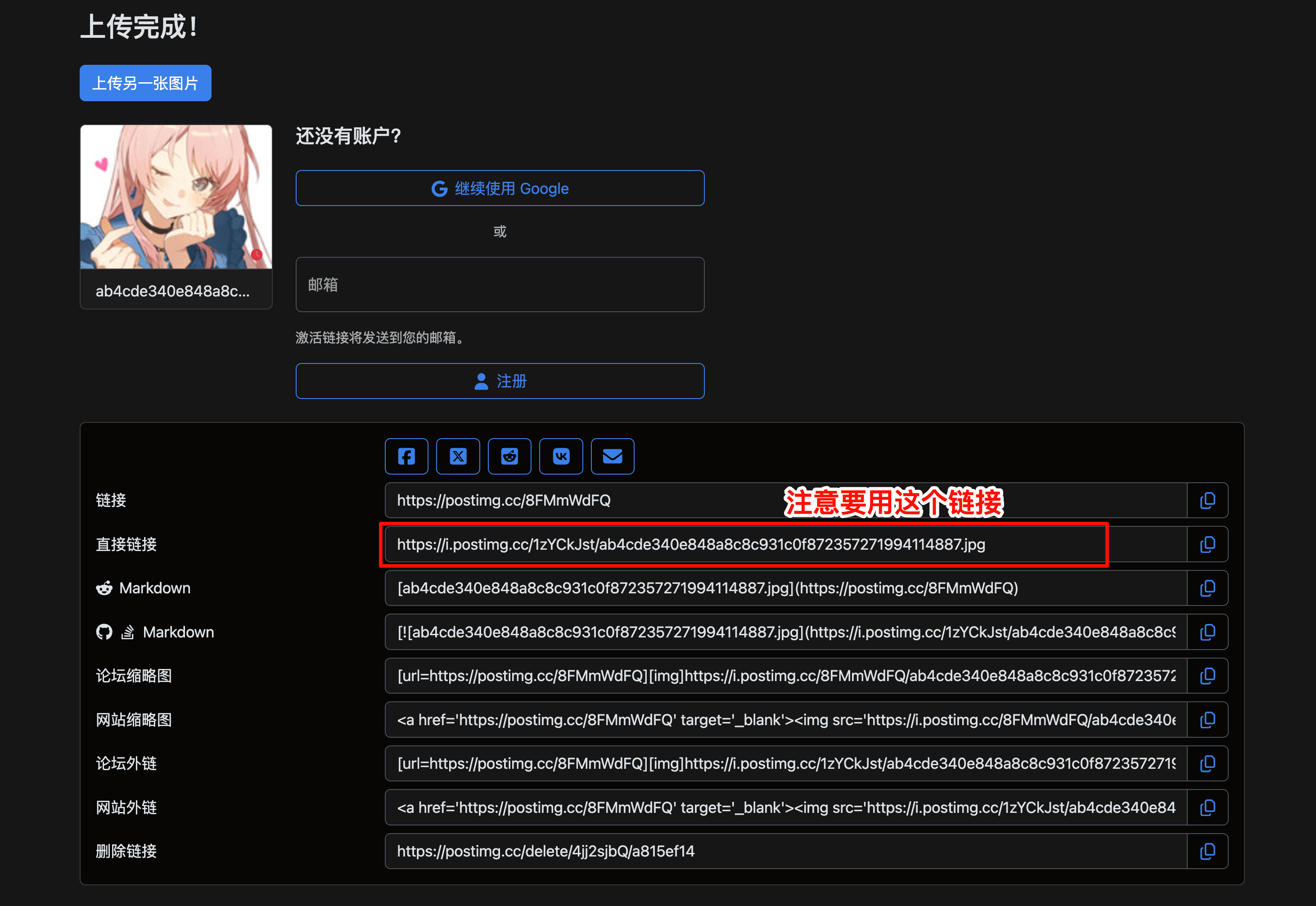
The reference image must be reachable at a public URL. A local file path will not work — upload the file first and use the resulting link. Common hosts: imgbb.com, sm.ms, postimages.org.
Starting a Generation Request
Send the reference image link together with what you want made. In this example the reference is an anime character illustration, and the request is a derivative meme:
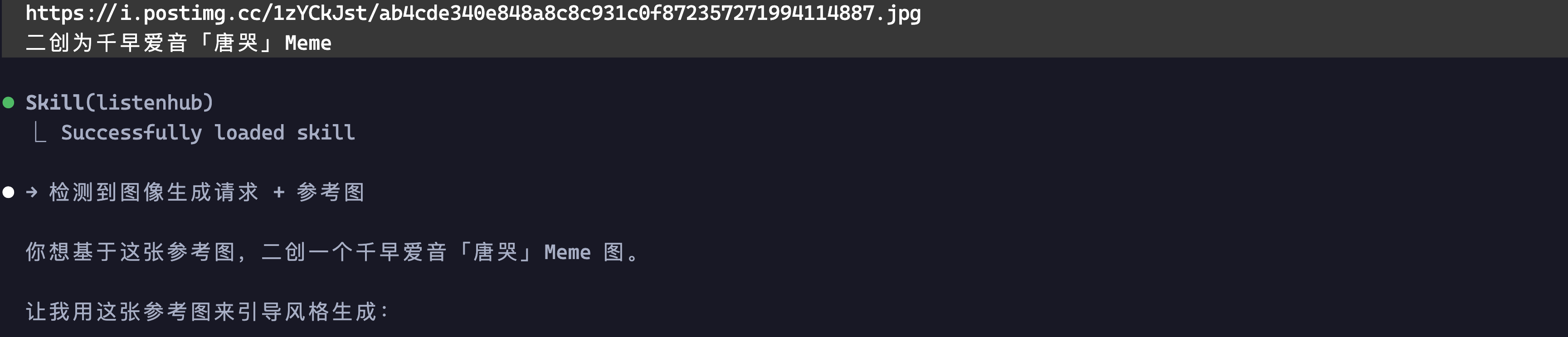
The AI recognises this as a reference-image generation request, uses the reference for style and expression, and combines it with the prompt to produce a new image.
Generation Complete
After about a minute the image is ready. The AI reports the file location, resolution, and how the image was produced:
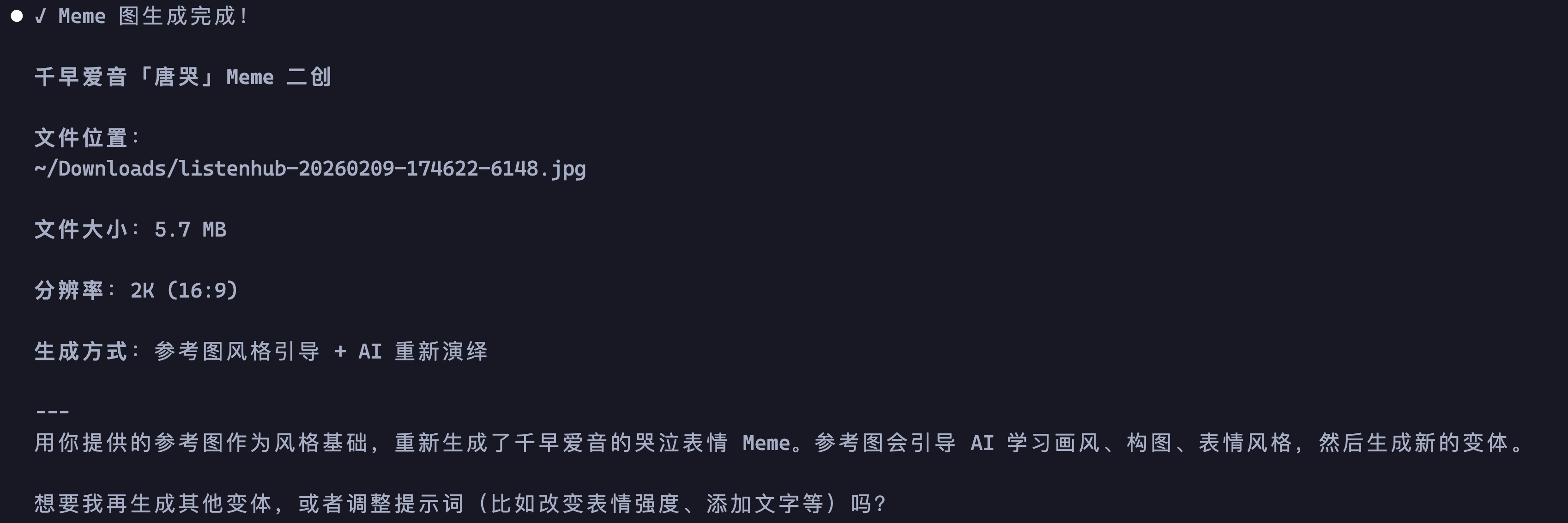
Result
The finished meme — the AI picked up the style and facial expression from the reference and reinterpreted them as a new variant:

For programmatic access with URL or base64 reference images, see the Image Generation API reference.